How a ski-chalet weekend, three AI collaborators and a determination to escape WordPress turned a decades-old website into something entirely new.
There was one slight complication in my plan to completely rebuild JimCarroll.com over a weekend.
My grandson was at the ski chalet.
My son and his wife were there too, and that made for a wonderful family weekend. It also came with a fairly strict rule: when my grandson is around, I'm not supposed to be on my computer.
A reasonable rule. A very good rule, actually.
Unfortunately, at almost exactly the same time, I had decided that after decades of running my website—and years of living with the growing complexity of WordPress—I was going to replace the underlying publishing system. Not update a theme. Not install a new plugin. Not move a few paragraphs around.
Replace the whole thing.
And so began a rather unusual technical exercise conducted in the cracks of family life: early mornings before the chalet came alive, afternoons when other things were happening, nap-time opportunities, and occasional stealth operations when I could get away with a few more minutes at the keyboard.
Some people spend a weekend at a ski chalet checking the snow forecast. I was quietly trying to make sure that thousands of pages, links, images and scheduled articles would survive the disappearance of an entire content-management system.
By November 8, 2026, the new site was live.
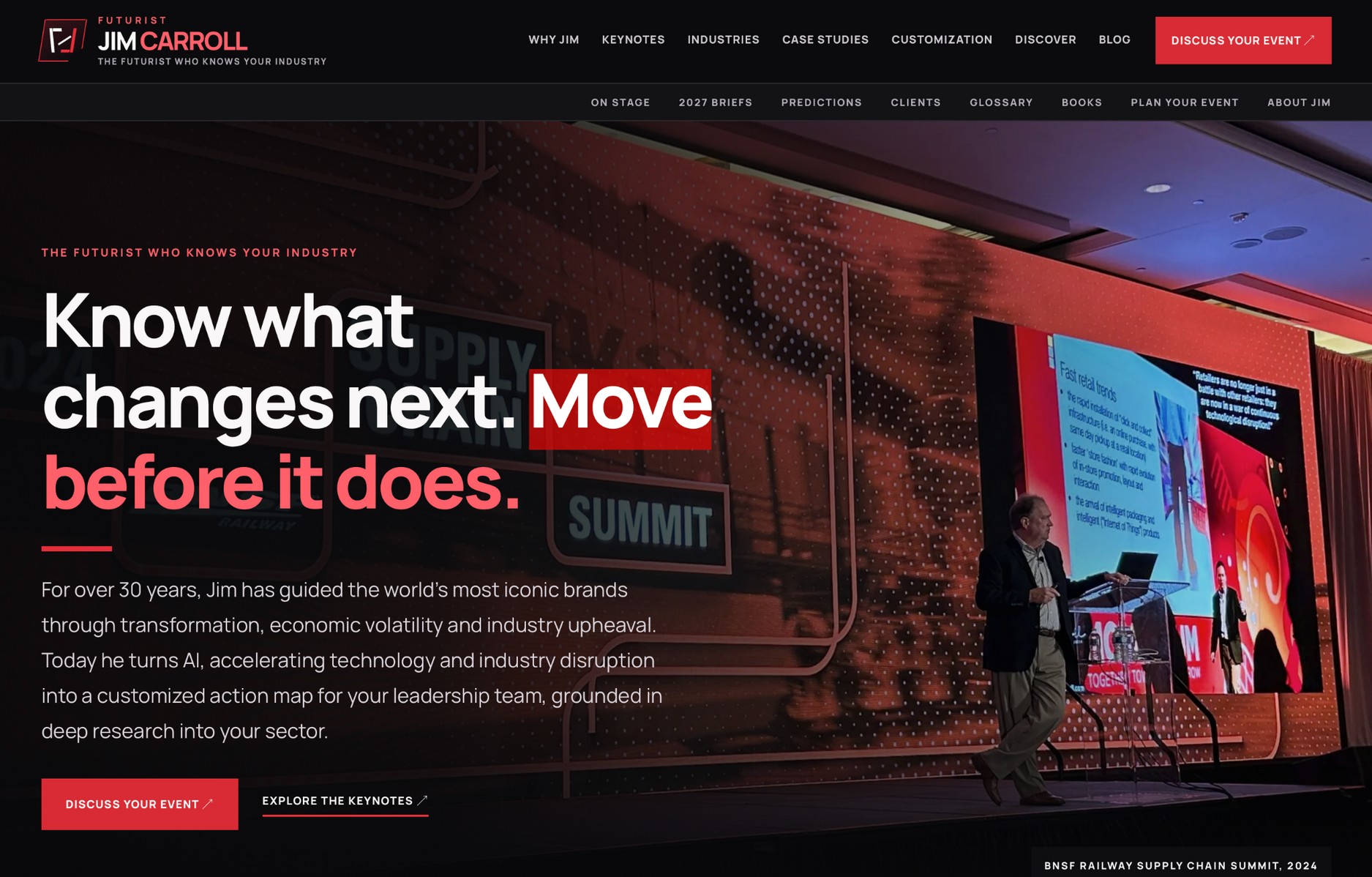
The concentrated migration and cutover had taken less than 72 hours. The preparatory work and the refinement afterward were much bigger than that weekend, and I don't want to pretend otherwise. But the final push—from an elaborate WordPress publishing operation to a functioning EmDash/Astro site—was astonishingly compressed.
Here's what happened, why I did it, what nearly everyone underestimates about a migration of this kind, and why I think other long-time WordPress publishers should at least consider a different future.
The eighth redesign, and the third technological era
I have been on the web for a very long time.
My first website dates to the mid-1990s, when building a site meant writing HTML and making things work by hand. I've watched the web evolve from a strange new communications medium into the place where people discover ideas, assess expertise, make business decisions and form an impression of someone before ever meeting them.
By my count, this latest JimCarroll.com is the eighth major design revision.
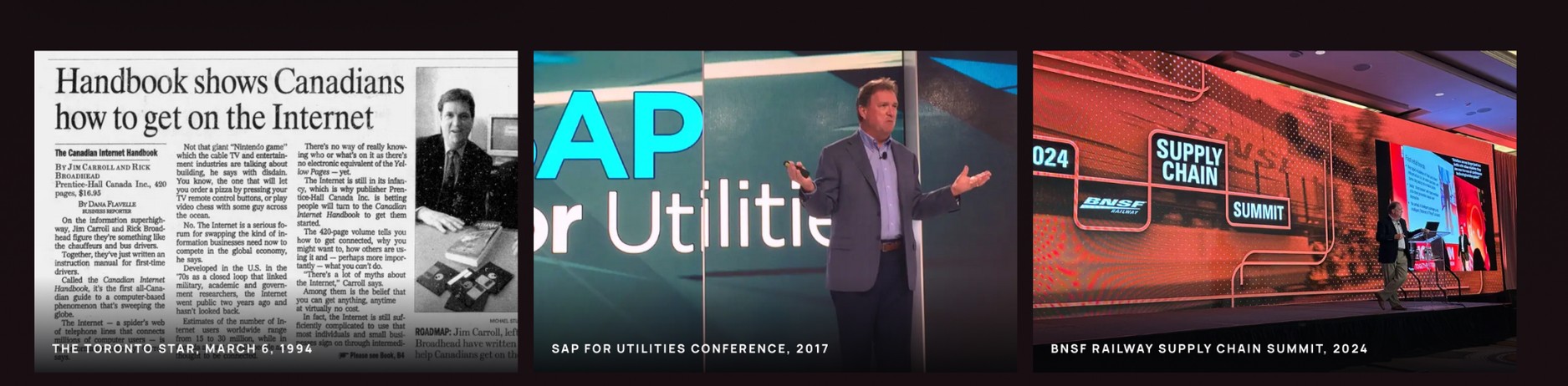
That number makes me smile. I can look back at the early versions, with their menus and graphics and very 1990s ideas of what the web ought to be, and see each as a little archaeological layer of the Internet. Over time, the site moved from hand-built HTML to WordPress, and then into something more ambitious: multiple sites, years of articles, client stories, keynote material, books, videos, research and an archive that is part of my professional history.
WordPress was genuinely useful for a long time. It gave ordinary people a way to publish without editing HTML every day. It made a personal publishing presence manageable. Its theme and plugin ecosystem solved countless problems.
But systems accumulate baggage.
A site that once had a simple job becomes a web of assumptions. A form depends on one extension. Search depends on another. Search optimization, redirects, caching, scheduled posts, social distribution, visual page builders, structured data and image handling each acquire their own software and maintenance requirements.
Some of those tools are excellent. Some are not. The real problem is that, after enough years, you can stop understanding which ones are responsible for what.
At that point, a website can become less like a publishing platform and more like an old house where every renovation exposed an earlier renovation, and nobody wants to touch the wiring.
The irony was difficult to ignore. I spend much of my professional life talking about technological disruption, acceleration and the organizational danger of clinging to yesterday's assumptions.
Meanwhile, my own site was carrying an enormous amount of yesterday.
Time to practice what I preach.
This wasn't about hating WordPress
I want to make an important distinction before someone reads this as another one of those “WordPress is dead” declarations.
It isn't. WordPress powers an extraordinary number of websites, and good people run it securely and successfully. A well-managed installation, with carefully chosen extensions and disciplined updates, can be perfectly sensible.
My issue was with the cumulative complexity of my particular publishing environment, and with the broader risk that arises when a mature site keeps adding more third-party dependencies to compensate for things its original architecture was never designed to do.
Every plugin is another relationship to manage. Every dependency has an upgrade cycle. Every added capability might bring its own data model, assumptions, compatibility quirks and potential security exposure.
The security burden is real—especially around the wider plugin ecosystem—but security was only part of the argument. The equally important issue was freedom: freedom to design the pages I wanted, model the content I actually had, connect related material intelligently, and stop making every new idea negotiate with years of WordPress history.
I wasn't looking for another theme.
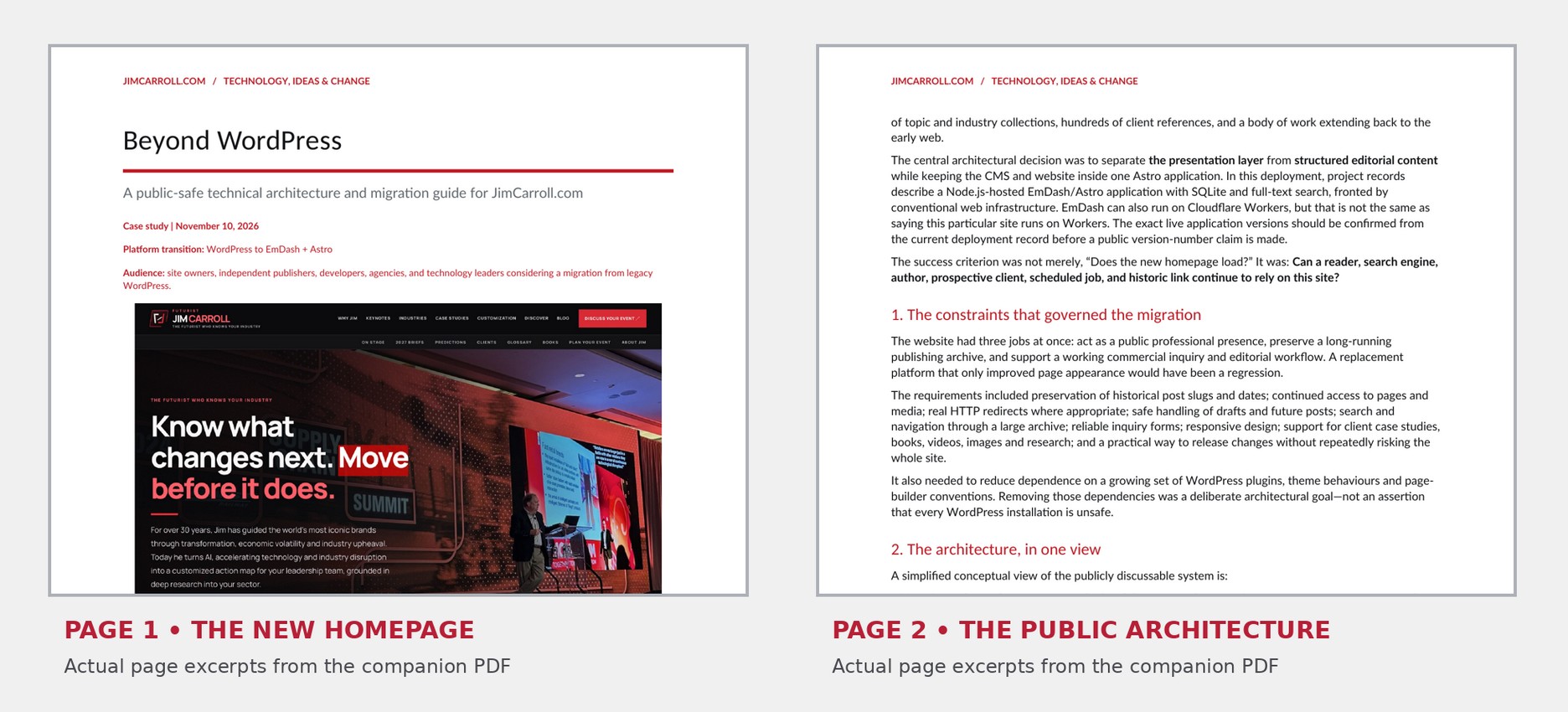
For the people who want to know exactly how the migration was planned and tested, I have also prepared a separate companion PDF: “Beyond WordPress — A Public-Safe Technical Architecture and Migration Guide.” It covers the stack, preservation work, publishing controls and verification principles, without exposing private infrastructure.
I was looking for a different foundation.
Enter Astro. And EmDash.
I'd already been working with Astro on other sites, and I liked the underlying idea: build the public presentation with modern web components and a clear content architecture rather than forcing everything through a general-purpose theme.
EmDash made the opportunity more interesting. It's an open-source CMS built for Astro: an editorial system that lives alongside the actual website, supports structured content and gives you the publishing tools you need without going back to WordPress.
Our deployment used a Node.js-based application with SQLite-backed content and full-text search, running in a conventional managed server environment. That's an important detail because EmDash has more than one deployment model; you don't have to pretend every installation is a static-only site or a Cloudflare Workers application.
The key design insight was this: Astro controls the experience. EmDash manages the content.
Articles can be edited and delivered through a live content workflow. The presentation can be tailored for my audience. Search and discovery can be designed around the substance of my work. And I can finally think about the site as a connected body of ideas rather than a pile of posts in reverse chronological order.
None of that makes security or maintenance disappear. New software still needs updates, careful configuration and backups. But it gave me a chance to rebuild the dependency model intentionally instead of continually inheriting one.
One weekend. Three AI collaborators. One editor in chief.
Here's where the story becomes more interesting.
This wasn't a case of typing “build me a new website” into an AI tool and returning to find thousands of perfectly migrated pages waiting on a server.
Quite the opposite.
It took an enormous number of decisions, corrections, inventories, comparisons, tests and editorial judgments. What changed was the pace at which we could make them—and the way I could divide the work.
Claude did the heavy technical lift. It worked through the actual implementation challenges: the application, content migration, transformations, integrations, testing, defects and technical release work. When code needed to be inspected or the mechanics of a migration needed to be resolved, Claude was carrying the heaviest technical load.
Google contributed editorial work. It was part of the research and writing process as we reconsidered how to present the scope of my work, how to organize the material and how to make decades of content more useful.
ChatGPT contributed design, editorial direction and technical work. It helped shape the information architecture, page concepts and editorial priorities; turned comments and screenshots into concrete requirements; tracked the changing decisions; and helped plan tests and evaluate what the various stages had actually achieved.
And then there was me.
I was the person who knew what the site ought to say, what it had said before, why certain photographs mattered, which clients could actually be named, how the material fit together and which things absolutely could not be lost. I decided what was acceptable and what needed to go back for another pass.
The role of a human in this arrangement wasn't to disappear. It was to become a much more demanding editor, designer, reviewer and project manager.
I also had an unusual constraint: my grandson's presence imposed a kind of natural rate limit on the whole exercise.
There were stretches when I couldn't work. So I had to make the next instruction count.
Perhaps that was a useful discipline.
The easy part was making a new homepage
If all I had wanted was a good-looking new homepage, this would have been a much smaller project.
The real problem was everything behind it.
The WordPress archive contained more than 5,500 published posts. There were old article addresses, specialized pages, archives, images, video embeds, client histories, books, date structures, taxonomies and redirects. Some pages were written before today's search and social platforms even existed.
One early migration snapshot counted 5,552 published articles. A later local test checked 6,621 existing WordPress addresses against the new version and reported no unexplained failures. We also tested 982 historical redirect mappings in that local migration environment.
Those aren't interchangeable numbers: one describes posts, another addresses and another redirect rules. I mention that because this project taught me to become increasingly suspicious of big, impressive-sounding totals that nobody can explain.
The larger lesson is much more important.
An old URL is a promise.
Someone might have bookmarked something I wrote in 2003. A client might have linked to a talk I delivered long ago. A writer might have cited one of my ideas in an article still circulating on the web. A search engine might know an old page far better than a newly designed one.
If all those links vanished because I wanted a cleaner website, the redesign would have destroyed some of the very history I wanted to preserve.
So we treated the old address structure as a contract. Preserve the URL if possible. If not, send it to the right new location with an intentional permanent redirect. Don't redirect every broken page to the homepage and pretend the problem is solved.
That wasn't glamorous work.
But it mattered far more than the hero image.
The ghosts in the old database
Then came the content that looked fine on WordPress but didn't survive a simple export.
Anyone who has lived through years of theme changes and page-builder experiments knows what I'm talking about. The information you see in the browser is not necessarily sitting in a neat field named “content.” It may depend on shortcodes, custom structures, embedded blocks, old templates or a plugin that has been doing quiet work for years.
The migration uncovered pages with missing rendered bodies and older material that needed targeted restoration. Project reports described 52 page bodies, 71 historical keynote or testimonial pages, and a separate set of 22 priority restorations being recovered or repaired.
There were legacy images to locate. Old video embeds to repair. Historic page structures to preserve. Date and timezone differences to understand. Book covers that had to look like actual book covers instead of being stretched into whatever shape a page template preferred.
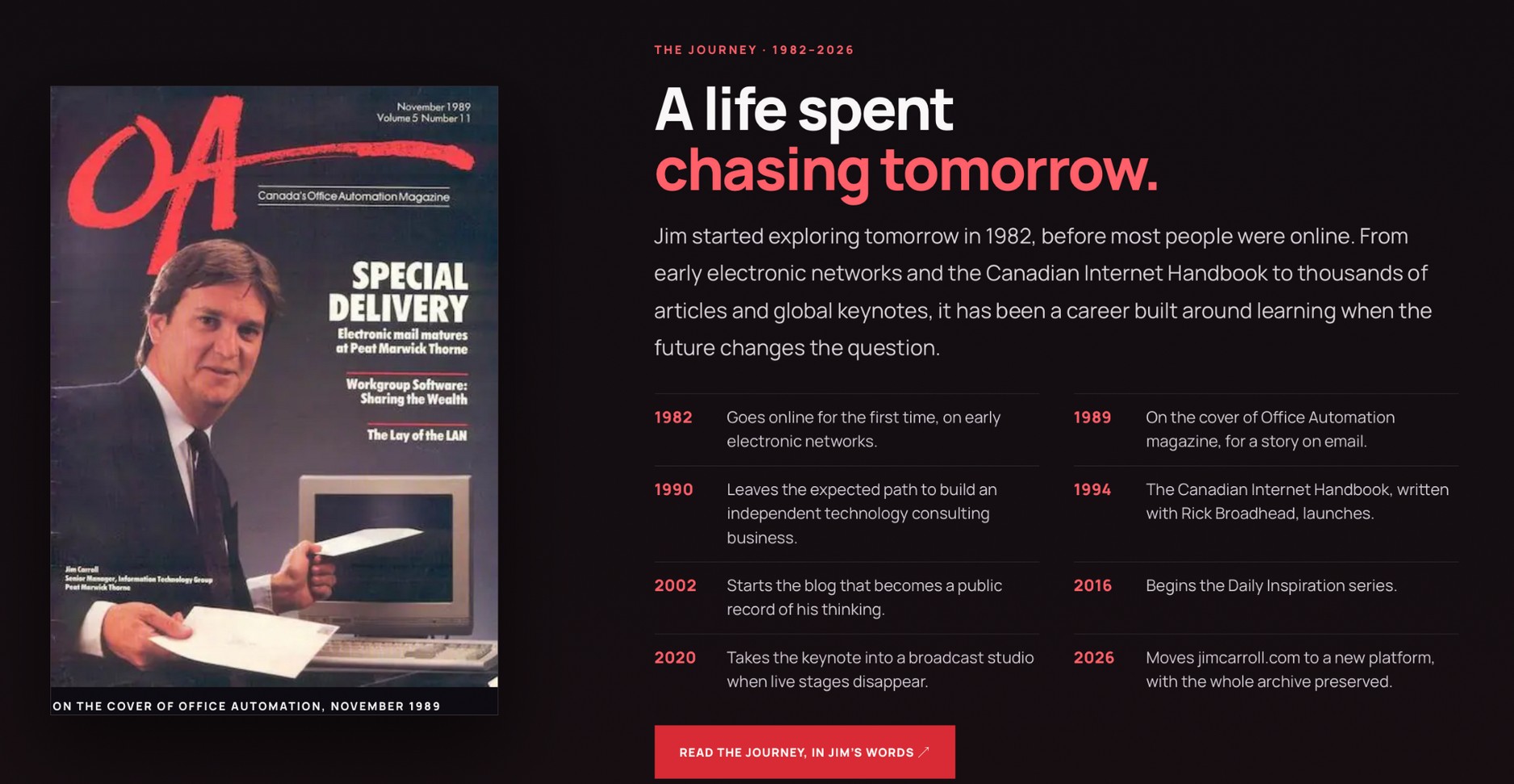
The temptation in a migration is to clean everything up at once. Make the old writing more modern. Replace an imperfect image with something that looks better. Eliminate a strange old page because it doesn't fit the new navigation.
I resisted much of that.
The archive is an artifact of my thinking over time. It isn't supposed to read as though every article was written last Thursday.
In some cases, the fact that a photograph is old is exactly why it matters.
From a pile of posts to a connected body of work
The redesign also gave me an opportunity to make the site more faithful to the actual scope of what I do.
A futurist's website shouldn't simply present a list of blog posts and hope that someone finds the right one.
I have spent decades working across industries, often with highly customized research for the specific audience in the room. Those engagements, articles and forecasts have relationships to each other. A topic that looks like an issue in manufacturing might also affect insurance, financial services, energy, agriculture or healthcare.
The new structure brought that material together with 21 industry sections, industry research briefs, keynote material, an expanded discovery system, books, videos, a glossary, and client case studies. We identified 231 distinct published case-study links during the inventory—not necessarily 231 unique clients, because that isn't the same thing.
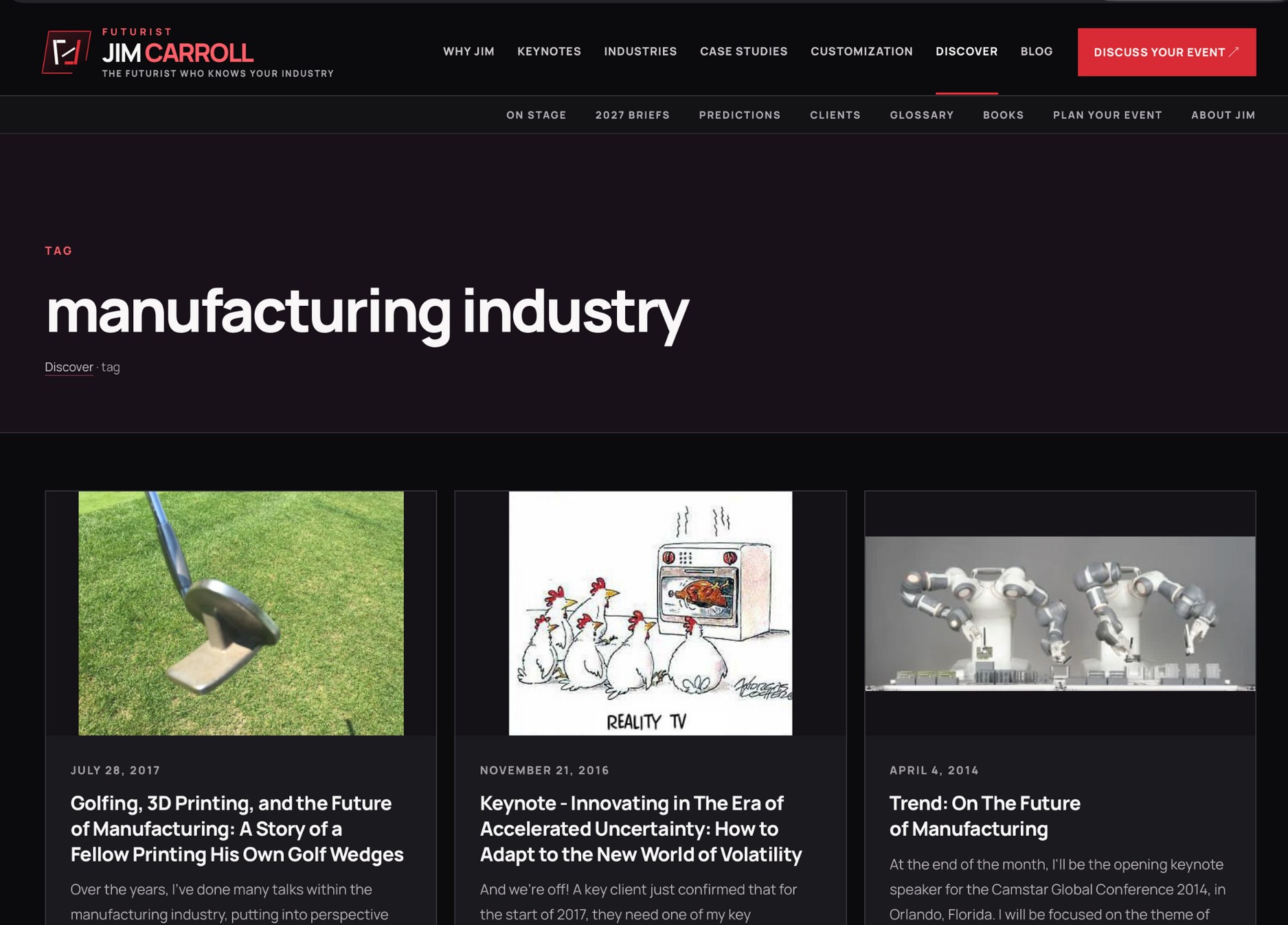
The idea was to let someone explore the site from multiple directions.
Interested in disruption? Start there. Want an industry perspective? Go to the industry. Looking for examples of past client work? Follow the case studies. Curious about resilience, innovation, leadership or acceleration? Find a connected path rather than hoping a search box guesses the right keyword.
That also meant refusing to fill the site with generic marketing copy and meaningless repetition.
The whole point was to demonstrate the depth of the archive. Not hide it under fifty variations of “innovation is transforming everything.”
The most dangerous thing about a migration is the stuff that keeps running
There was another complication: the website didn't stop publishing just because I decided to rebuild it.
The old system had a calendar of future content. A test copy of the new system rehearsed 343 scheduled posts and verified that publishing could occur at the intended time and address while not exposing future posts early.
Think about the failure modes. The old platform could publish after the new one had taken over. The new platform could publish the same article twice. A timezone conversion could shift an evening article into the following day. A social-posting tool could remain attached to the wrong scheduler. Or an apparently successful site launch could be followed by three weeks of quiet editorial failure.
You can't solve that by looking at the homepage.
We had to think about who owned each task, which jobs needed to continue, what had already been published, and what should happen the next morning.
The same applied to inquiry forms. My website isn't just a public archive; it's also how prospective clients and speakers bureaus contact me. A beautifully redesigned contact page that fails to deliver inquiries is worse than the slightly dated form it replaced.
These things are not secondary technical details.
They are the business.
A different way to think about being discoverable
Another motivation was the future of web discovery.
The old web was largely built around a person entering a few keywords into a search engine, following a link, and arriving at a webpage. That continues, but it now coexists with AI assistants, automated research tools and different ways of interpreting and navigating published information.
I wanted the site to be readable by people and understandable to machines, without turning the entire exercise into an exercise in AI buzzwords.
That meant conventional search fundamentals—proper URLs, metadata, canonical links, sitemaps and structured markup—but also coherent content models, public machine-readable descriptions and Markdown-friendly representations where appropriate.
Some of these capabilities were already present on WordPress. The point wasn't to declare them newly invented by EmDash. The point was to preserve them, improve their consistency and make their maintenance part of the new architecture.
And, critically, to remember that a file called llms.txt doesn't guarantee that any AI system will suddenly recommend me for a keynote.
Being discoverable still starts with having something substantive worth discovering.
The cutover was not the finish line
The new main site went live on November 8, 2026.
I would love to say that everything was perfect and that we all switched off our computers and congratulated ourselves.
That would make a better fairy tale than a technology story.
In reality, we kept finding things. Book covers were displayed at the wrong scale. Some typography needed to be much larger. There were image crops, historical embeds, client-logo questions, awkward blank sections and navigation details that were not yet right.
We organized that work into subsequent waves, with separate review and permission to release. One post-launch audit catalogued more than 11,000 URL variants or addresses, with deeper screenshot inspection on representative pages across multiple screen widths. It generated a concrete register of defects, and the November 9 work corrected a substantial portion of them while leaving some things open for future refinement.
That's how a grown-up website launch should work.
You don't confuse “the new platform is live” with “every editorial or visual choice is finished.” You establish a functioning baseline, test it, fix what matters, and avoid breaking yesterday's success with today's improvement.
And sometimes the instruction really was as simple as: make the font bigger.
Did I eliminate every security problem? Of course not.
This is where I want to be careful with the enthusiastic rhetoric that often accompanies new technology.
Moving from WordPress to EmDash/Astro did not turn my site into an invulnerable fortress. No platform provides that.
EmDash has a modern architectural approach, including the ability to isolate appropriately configured plugins in sandboxes. That's meaningful, but the details matter: a plugin only gets that isolation when the relevant runner is actually enabled and the plugin uses it. A trusted component running directly in the application process is not magically isolated because the CMS has a sandbox feature somewhere in its documentation.
And a Node.js application still needs patching, secure configuration, access controls, backups, logging and sound release engineering.
What I gained was a chance to reduce the inherited complexity and build a more deliberate operating model. That, to me, is the real security argument. Less accidental dependency. Clearer ownership. Fewer mysterious interactions. Better testing.
If you're running a small, tidy, well-maintained WordPress site, this may not be your problem. If you're running a mature publishing operation with years of plugins, page builders, redirects, integrations and custom fixes, you might recognize the symptoms.
The AI story is bigger than the website
I've spent years telling organizations that exponential technology changes more than the speed of individual tasks. It changes what becomes practical.
This weekend was a rather personal demonstration.
A migration that would once have required a conventional team moving through a long series of handoffs was compressed by using different AI systems for different kinds of work, while keeping one human accountable for the decisions.
Claude handled the demanding technical implementation. Google helped with the editorial work. ChatGPT helped with design, editorial strategy and technical planning. I moved between them, checked outputs against decades of context and original material, and decided where the work needed another iteration.
There were no magic instructions that got everything right the first time. Quite often I had to say no. Sometimes emphatically. In my experience, the value of these tools increases dramatically when you're willing to be precise, demanding and persistent.
What surprised me wasn't that AI could write code or draft copy. We've known that for some time.
It was the sheer amount of coordination, iteration and context management that could happen in a remarkably short window—while I was sharing a chalet with my family and trying not to violate the grandson computer rule.
That is a different kind of productivity story from “AI helped me write an email faster.”
What I'd tell anyone considering the same move
First, don't start with the design. Start by auditing what you have and what you cannot afford to lose.
Second, treat URLs as part of your long-term public identity. Links from twenty years ago are still relationships with readers.
Third, separate the data migration from the editorial redesign. You can improve the presentation without rewriting history.
Fourth, rehearse the operational things nobody sees: scheduled content, forms, email notifications, redirects, media references and backups.
Fifth, use AI as a set of collaborators with different strengths, not as an excuse to stop exercising judgment. Someone still has to recognize a fake photo, a wrong client attribution, a broken link or a distorted book cover.
Sixth, accept that the cutover will not be the last improvement. A good release is the beginning of a much better feedback loop.
Finally, don't migrate simply because a new tool is fashionable. Migrate when the old architecture has begun to limit what you want to do, and when you have a responsible plan for everything that depends on it.
A companion guide for the technically curious
The story above is what the weekend felt like. The companion technical guide is what we actually had to engineer: a content model, legacy URL policy, reliable publishing, form handling, a full-text discovery system, and a release process that could be checked and reversed. It includes real screenshots and a deliberately simplified architecture diagram. Both PDFs are supplied together for readers who want the complete picture.
The future was hiding in nap time
So that's how I ended up retiring my WordPress website in the middle of a family weekend at the ski chalet.
The new JimCarroll.com is the latest chapter in a story that began with a hand-built site in the 1990s. It carries forward an archive that has grown for decades, but it now rests on a very different publishing foundation.
There will be more changes. There are always more changes. If anything, this migration makes the next ideas easier to pursue, because the architecture is finally catching up with the ambition.
And I keep returning to the scene at the chalet: family around me, a grandson who rightly expected my attention, and a computer that was supposed to remain closed whenever he was nearby.
The technical future arrived in the early morning hours, during naps, and in some fairly well-executed stealth operations.
I suspect my grandson will have no idea that WordPress lost its hold on JimCarroll.com that weekend.
Which is exactly as it should be.
Because the most important thing I was doing at the chalet wasn't rebuilding a website.
It was being there.
Technical note: Site counts in this article come from migration inventories, local test reports and early post-launch documentation in November 2026. A public cutover, a reported local test and a subsequent QA release are different kinds of evidence. The longer companion technical document explains the architecture and those distinctions without disclosing private infrastructure details.
Companion PDF supplied with this article: Beyond WordPress — A Public-Safe Technical Architecture and Migration Guide for JimCarroll.com (EmDash-Technical-Guide-Illustrated.pdf).